
Mantrailing.ro
Frequently Asked Questions
Find answers to the most common questions about mantrailing, training sessions, events, and the Mantrailing Romania project.
Frequently Asked Questions
Mantrailing and training
01
What is mantrailing?
Mantrailing is the discipline in which a dog follows, on a long line, the scent trail of one specific person: it starts from an object carrying that person's scent (a piece of clothing, a bracelet) and searches until it finds them. Unlike sport tracking, it does not matter whether the dog steps exactly in the footprints - what matters is finding the person.
It is a human-dog team sport, open to any healthy dog, and the foundation of training dogs that search for missing people. Why mantrailing explains what the dog and the owner gain from it.
02
Who can do mantrailing? Do breed or age matter?
Any dog that can walk in a harness on natural terrain: purebred or mixed, small or large, puppy or senior. Every dog's nose works the same way; only the pace and the length of the trails differ, and we adapt those to each team.
Senior dogs or dogs with joint problems work short trails on easy ground. The only real limits are acute medical problems and females in heat (we ask them to skip that session so the other dogs are not distracted).
03
From what age can a puppy start?
As soon as the puppy can safely go outside, after its vaccination schedule - usually from 3-4 months. At this age mantrailing is a game: trails of a few metres, towards a familiar person, with a big reward at the end. There are no jumps, obstacles or physical effort that could affect growth.
For puppies under 6 months we recommend the Puppy Class, where search games are combined with socialisation and the first basic exercises.
04
My dog is reactive or fearful around other dogs. Can it take part?
Yes, and mantrailing often does such dogs good. Only one dog works the trail at a time; the others wait at a distance, in the car or in separate areas, so your dog does not meet other dogs while it works. Focusing on scent lowers stress and gives the dog an activity it succeeds at.
Tell us about the reactivity when you sign up, so we can plan the order of the teams and the distances. For behaviour problems that also show up outside training we offer behaviour correction.
05
Does my dog need obedience training before we start?
No. Mantrailing uses what the dog already does naturally - sniffing and following. It helps if the dog accepts the harness, walks on a leash without panicking and has a basic recall, but these can be built in parallel.
If you want to start from a solid foundation, basic training covers exactly these elements.
06
What equipment do I need to start?
Four things: a Y-shaped harness with the attachment ring on the back (no anti-pull harness and no collar - the dog has to be able to pull), a long line of 5-10 m, rewards your dog loves, and an object carrying the scent of the person being searched for, kept in a clean bag.
Details and mistakes to avoid in the equipment guide and on the page about the mantrailing harness. For the first sessions you can come with what you have; the instructors check the equipment.
07
What does a training session look like?
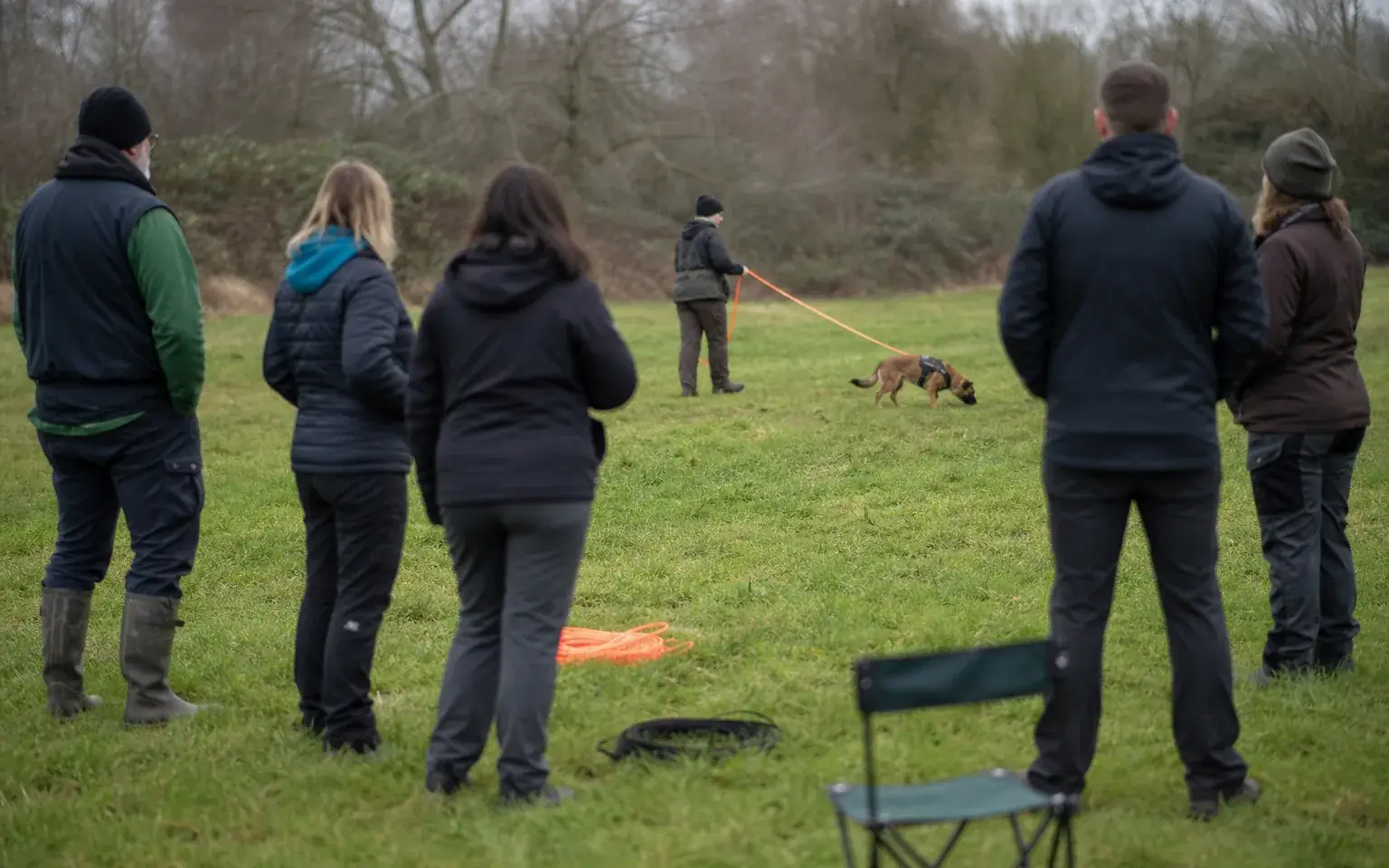
We work in a small group, outdoors. The teams run the trail one at a time: a person (the "victim") walks away and hides, the dog is given the scent article and sets off on the long line with the handler behind. Each dog runs a few short trails matched to its level, and rests in between.
How the trails progress, from a few metres to routes through town, is described under training; the roles in the group are explained under the training group.
08
Is mantrailing safe for my dog? What are the risks?
It is one of the gentlest canine activities: no jumping, no impact, at the dog's own pace. The risks come from terrain and weather - fatigue, overheating in hot weather, paw cuts on rough ground - and we manage them with short trails, breaks, water and the choice of location.
The only equipment that can do harm is the wrong equipment: a collar or a harness that squeezes the chest turns pulling into discomfort. That is why we insist on the right harness.
09
Where and when do we train?
10
How much does it cost?
The fee depends on the type of session - group, individual or workshop with a guest instructor - and is communicated when you sign up, on each event's page. The first session is an introduction: you come, see how we work, and your dog runs its first short trails.
For an exact answer for your dog, write to us and we will tell you what fits.
11
How do I sign up?
Pick a session from the events page and follow the registration steps there, or send us a message with a few lines about your dog (age, breed, experience, any issues) and we will suggest the right session.
12
Can we get certified? Which exams exist?
Yes. Teams that want to measure their level can take internationally recognised exams: TSAC, the IRO trials and the K9 Hungary exams, each with levels of difficulty. They are not compulsory - many people come just for the activity - but they give a clear path of progress.
All exams, requirements and levels are described under certifications.
13
Is mantrailing related to search and rescue dogs?
Yes: mantrailing is the foundation for training dogs that search for missing people. The difference is that a search and rescue dog works on real call-outs, with requirements of endurance, certification and availability that a dedicated volunteer takes on.
What the road from sport to deployment involves, the types of search and how to become a volunteer are explained under search and rescue.
Frequently Asked Questions
User
01
What can you do on the platform and what benefits do you get?
🐾 Publish articles and educational content
Share your experiences, training methods, techniques, dog conditioning, recovery, nutrition, or any topic that can help the community grow and improve.
🐕 Promote sports events and training sessions
Add competitions, seminars, workshops, demonstrations, open training sessions, and public events.
📢 Present your association or club
Whether you are part of a sports club, a dog training association, a SAR intervention team, or an IRO/FCI organisation, this is the place to showcase your activity and ongoing projects.
🎓 Publish exams and training opportunities
We support the promotion of working dog exams and trials such as:
- BH, TSAC, IGP
- Mantrailing
- Search and Rescue (SAR)
- IRO evaluations and exams
- Obedience, discipline, and specialised working trials
Why contribute?
- Increase visibility for your work and your organisation.
- Help practitioners find relevant events, exams, and valuable resources.
- Contribute to the education and growth of a responsible, well-informed community.
- Actively support the promotion of canine sports and working disciplines in Romania.
- Build valuable connections with other clubs, instructors, SAR teams, and athletes.
02
What does TSAC, BH, SAR, IRO, Mantrailing Hungary K9 mean?
TSAC
TSAC (Test de Selecție și Aptitudini Canine) este un examen destinat evaluării aptitudinilor de bază ale câinelui pentru activități de lucru, precum concentrarea, motivația, stabilitatea emoțională și capacitatea de colaborare cu conductorul.
Read more details: https://www.mantrailing.ro/ro/examene/tsac
BH
BH (Begleithund) este un examen de obediență de bază și comportament social, care testează controlul câinelui, reacția la stimuli urbani și relația cu conductorul. Este adesea o condiție prealabilă pentru participarea la examene avansate sau competiții.
Read more details: https://www.mantrailing.ro/ro/examene/bh
SAR IRO
Examenul SAR IRO (Search and Rescue – International Rescue Dog Organisation) evaluează câinii de căutare și salvare conform standardelor internaționale IRO, testând abilități precum căutarea persoanelor dispărute, obediența și comportamentul în situații de stres.
Read more details: https://www.mantrailing.ro/ro/examene/bh
Mantrailing Hungary K9
Mantrailing Hungary K9 este un sistem de examinare recunoscut internațional, axat pe evaluarea câinilor de mantrailing. Examenul testează capacitatea câinelui de a urmări o urmă umană specifică, precizia, perseverența și colaborarea cu conductorul.
Read more details: https://www.mantrailing.ro/ro/examene/mantrailing-ungaria-k9
03
I forgot my password. How can I reset it?
Click on the “Login” button in the main menu, then on the login page select “Forgot your password? Request a new one!”. Fill in the required fields as instructed.
After submitting the password reset request, an email will be sent to your registered email address with instructions to confirm the request and set a new password.
04
How do I register on the platform?
Click on the “Login” button in the main menu. On the login page, select the link “Don’t have an account? Register NOW!” and complete all required fields as instructed.
After submitting the registration form, you have 48 hours to confirm your account. A confirmation email will be sent to you containing an activation link. Once your account is activated, you can log in and use the platform.
05
How do I update my account information?
You must log in to the platform, then:
To update your account details, click on your profile picture in the top-right corner, then select “Edit Profile.”
Here you can update:
- your first and last name
- language
- notification preferences
- email address
06
How do I change my account password?
You must log in to the platform, then:
To change your password, click on your profile picture in the top-right corner and go to “Security.”
Then enter:
- Current password
- New password
- Confirm new password
07
How do I enable 2FA (Two-Factor Authentication)?
You must log in to the platform, then:
To enable 2FA, click on your profile picture in the top-right corner, go to “Security,” then select “Enable 2FA.”
Follow the steps displayed on the screen. You will need an authentication app such as:
- Google Authenticator
- Microsoft Authenticator
When activating 2FA, scan the QR code and enter the verification code generated by the app.
Important: Make sure to save your recovery codes to avoid losing access to your account.
08
How do I disable 2FA (Two-Factor Authentication)?
You must log in to the platform, then:
To disable 2FA, click on your profile picture in the top-right corner, navigate to “Security,” and click “Remove Two-Factor Authentication.”
Frequently Asked Questions
Content
01
How can I delete content I added on the platform?
After logging into the platform, navigate using the left-hand menu to the section where your content is located. Find the item you want to delete, click on the three-dot icon next to it, and select “Delete”.
⚠️ Content older than 48 hours can no longer be deleted directly by the user.
To request the deletion of content older than 48 hours, please contact us by email at [email protected]
02
How do I add an event?
You must log in to the platform, then:
To add a new event, go to the “Events” section in the menu, then click on "Add a new event."
The form is divided into three sections:
- Settings
- Content
- Image & Publishing
You do not need to create the event in two languages. Simply choose the event language in Settings → Event Language and complete all fields marked with * (required).
If you select both Romanian and English, you will be required to complete the fields for each language.
Required fields:
- Event language
- Category (you can select multiple categories)
- Country and, if applicable, location of the event
- Event title
- Event date/period
- Event description
- Event image
Optional fields (recommended for SEO):
- Image alternative text
- SEO description
- SEO keywords
After completing the form, click “Submit.” The event will be sent for approval, where a platform volunteer will review and approve it.
The volunteer may also complete any missing information to optimize the content for search engines and, if necessary, translate the event into the missing language.
03
How do I add an article?
You must log in to the platform, then:
To add a new article, go to the “Articles” section in the menu, then click on “Add a new article.”
The form is divided into three sections:
- Settings
- Content
- Image & Publishing
You do not need to create the article in two languages. Simply select the article language in Settings → Article Language and complete all fields marked with * (required).
If you choose both Romanian and English, you will be required to fill in all fields for each language.
Required fields:
- Article language
- Article title
- Article description
- Article image
Optional fields (recommended for SEO):
- Image alternative text
- SEO description
- SEO keywords
After completing the form, click “Submit.” The article will be sent for approval, where a platform volunteer will review and approve it.
The volunteer may also fill in missing fields to optimize the content for search engines and, if needed, provide the translation for the missing language.
04
How to Add Your Association or Club Presentation to the Platform?
Follow these steps to publish your association/club presentation in the Mantrailing Network section of the platform after logging into the platform.
1️⃣ Access the Dedicated Section
- Log into the platform.
- From the main menu, select Mantrailing Network.
- Click on Add a new presentation.
2️⃣ Fill in the Form (which has 3 sections)
The form is divided into:
🔧 A. Settings
Here you configure the basic information:
Presentation language – Romanian or English.
➤ You do NOT need to submit the presentation in both languages.
If you choose only one language, you fill in the fields only for that language.
If you select both languages, you will need to complete the fields for each one.
Country
Location (city/area)
📝 B. Content
This section contains the main information about your association/club:
Required fields:
- Title / Name of the club or association
- Description of the club or association
Optional fields:
- Facebook URL
- Website URL
- Tax ID (CIF)
- Email address
- Logo title
- Logo alternative text
- SEO description
- SEO keywords
🖼️ C. Image & Publishing
Here you upload visual assets and finalize the submission:
- Club/association logo (required)
- Logo title (optional)
- Logo alt text (optional)
After completing all necessary fields:
➡️ Click Submit.
3️⃣ What Happens After You Submit?
Your presentation will be sent for approval.
A platform volunteer will review it.
The volunteer may fill in missing optional fields if needed.
If a translation is missing in the second language, they may add it.
Once approved, your presentation becomes visible on the platform.
Get in touch with the Mantrailing Romania team
Please fill in the form below if you have any additional questions.