
Trail Journal Case 011
The Wristband with No Number
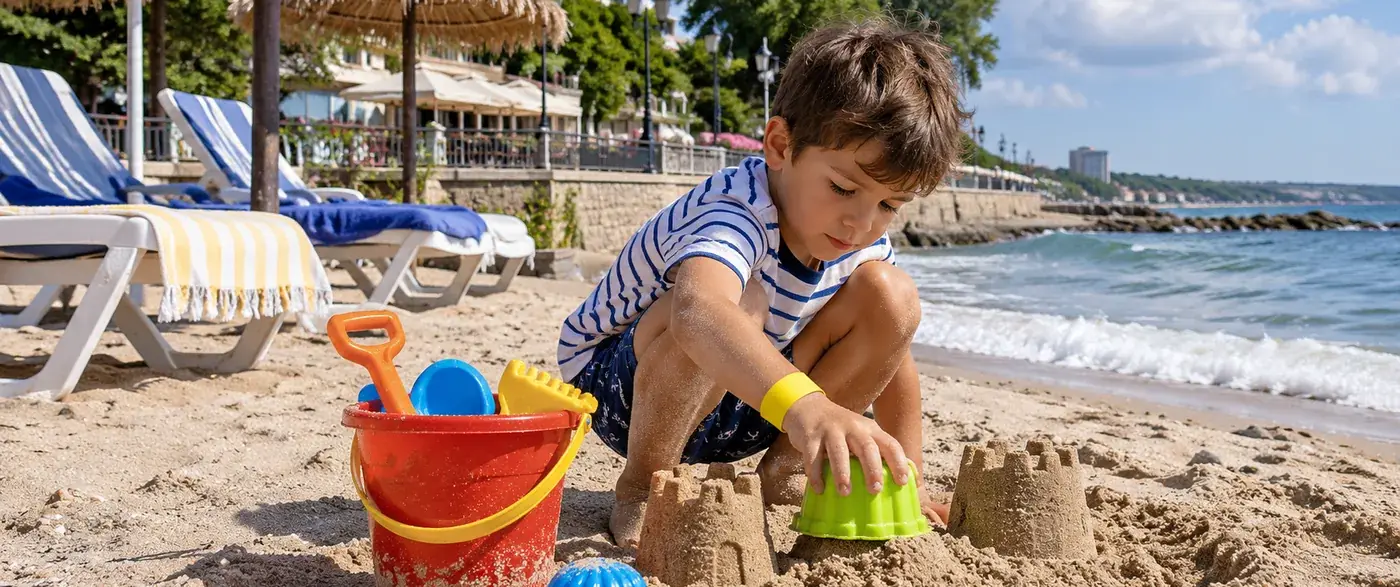
Radu's towel is still on the beach. Behind the promenade, a woman selling ice cream notices the blank wristband on his arm.
At the seaside · August
A Strawberry Ice Cream
Radu is filling his sand moulds next to his parents' sunloungers. His mother fastened the wristband on his arm, but neither she nor his father wrote a phone number on it. In a moment when nobody is watching, the boy picks up his bucket of toys, walks away from them and leaves the beach. He wanders among the people in the little streets behind the promenade. For a while, nobody realises he is on his own.
After looking for him among the parasols, his parents alert the police and ask for the help of a search and rescue team. Lira, the team's mantrailing dog, sets off from the towel after sniffing a T-shirt Radu has worn. Along the route Lira follows, her handler finds three things the parents recognise at once. They are the shell-shaped sand moulds, the little red spade and the bucket Radu stuck a little fish on.
Meanwhile, Radu stands on tiptoe at a kiosk and asks for a strawberry ice cream. “Who did you come with?” the woman serving asks him. Radu looks behind him and tells her he doesn't know where the beach is any more. She sees that the wristband has no number, rings the police and stays with him. The kiosk's address, given in the call, takes the officers to Radu.
Before the news came through, Lira's team had noted three stops, one for each object found. The sand moulds were all together and appear only once in the log. Which object was found at the last stop, and where?
Search log
Field clues
I need a hint
The bucket was second. Could the spade be last, if the stop at the footbridge still comes after the showers?
One more hint
Once you've placed the spade and the bucket, one object is left. Read again what the father had in his hand when he reached the steps.
Workbook
Deduction grid
The grid is optional. You can use it to organise your notes and see which options you have ruled out. If you already have the answer, go straight to the final report.
Find the Spade row and the Showers column. Tap their cell twice to confirm the match from your notes.
How to play: the basics and a worked example
What do I have to do in a case?
- Read the story and the question in the final report: What did the team find at the last stop, and where? That tells you what you have to reconstruct.
- Take the clues one at a time. Look for the two items each sentence links and note in the grid what you have learned. Then tick the clue so you remember you have used it. You can reread it at any time.
- If two clues share an item, follow it through both pairings. When you get stuck, you can open “I need a hint”, then “One more hint”.
- When you have a theory, fill in the two fields of the final report. You can send the report even if you've left the grid empty. Then press “Check the report”. If the answer doesn't match, reread the clues and try again. Once it is confirmed, read the explanation in “The log, reconstructed”, shown below the report.
How do I correct a mark?
Tap the same cell to go through the three states, in order. You start from a dot. One tap puts ×, another puts ✓, and a third brings the dot back. So from ✓, a single tap clears the mark. The other cells only change when you tap them yourself.
How do I read the big grid in a case?
Above the columns you will see categories such as “Landmark” and “Stop”. The rows are on the left. Follow the name on the row across to the column you are interested in and read the pairing as a question. A dot means you haven't noted the answer yet.
The one-match rule applies within each group of columns. After a ✓ you can put × in the other cells on the row and the column of the same group. In another group, the same row can have one more ✓.
Further down, the rows compare the remaining categories with each other. The hatched areas show pairings already covered elsewhere in the table. On a phone, swipe the table sideways to see the next group.
The example below is a made-up case with two dogs, Luna and Nori, who ended up in different places. The first clue says: “Luna did not finish the trail at the jetty.” Luna gets × under Jetty, so the greenhouse is all that is left for her and she gets ✓ there. The second clue says: “The team that reached the greenhouse used the bandana.”
| Reference | Place | Article | ||
|---|---|---|---|---|
| Jetty | Greenhouse | Bandana | Scarf | |
| Luna | ruled out | confirmed | confirmed | unknown |
| Nori | unknown | unknown | unknown | unknown |
| Jetty | Unused group of cells | unknown | unknown | |
| Greenhouse | confirmed | unknown | ||
On the “Greenhouse” row, the ✓ under “Bandana” comes straight from the clue. On the “Luna” row, the ✓ under “Bandana” is your own conclusion: Luna reached the greenhouse, and the team at the greenhouse used the bandana. The two ticks on Luna's row are in different groups.
Swipe the table to the left to see all the columns.
| Reference | Landmark | Stop | ||||
|---|---|---|---|---|---|---|
Final report
What did the team find at the last stop, and where?
The log, reconstructed
- The spade was at the showers. The showers come before the footbridge, so they can't be the last stop. The second stop belongs to the bucket. So the spade was first.
- When he reached the steps, the father already had the bucket. The steps therefore come after the second stop. That leaves the footbridge for the bucket.
- At the last stop, on the promenade steps, the sand moulds were found. The child was at the kiosk. The woman serving there gave the police the exact place.
| Stop | Object | Landmark |
|---|---|---|
| First | Spade | Showers |
| Second | Bucket | Footbridge |
| Last | Moulds | Steps |
At the kiosk, his mother writes the phone number on the wristband. Radu thinks for a moment, then asks the woman to put one more spoon in the tub, for Dad.
Solve another case
More cases of the same level from the collection.
-
 Case 012
Solved
The Toy Rabbit
When Grandma gets up from the bench, the rucksack is still there, with the toy rabbit inside. Sofia has gone. Where can the dog pick up her trail again?
-
 Case 013
Solved
Five Hours on the Trail
At dawn, the Salvamont rescuers reach the spot four young people rang them from. Beside a rock they find a rucksack. The group has moved on, and their phones have died.
-
 Case 044
Solved
The bell from the sheepfold
Matei has gone out to watch the sheep passing by the house.