
Trail Journal Case 046
The mark above the clearing
Which time and which landmark belong to the frame in which the sleeve can be seen?
The real case · Romanian Ministry of Internal Affairs
In Sibiu county, a child who went missing near a farm was spotted from a helicopter after two days of searching, according to the rescuer's account published by the Ministry.
How the search began
What happened?
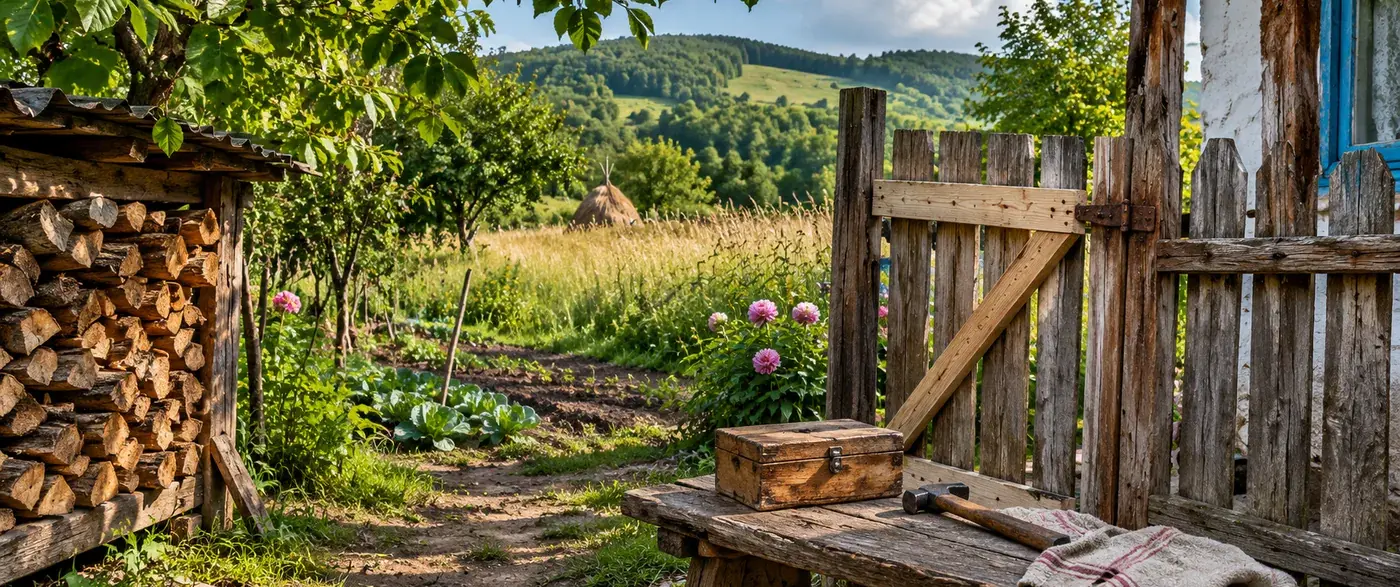
Ilie was holding the box of nails for his grandmother while she mended a gate. When the woman reaches out for the last nail, Ilie has vanished. The box sits on the ground, carefully closed. His grandmother calls him in the garden first. Ilie knew how to make a car out of a plank and a gear lever out of a nail, so she expects to find him tinkering behind the woodpile. From there, however, she sees that beyond the last furrow the grass reaches up to a child's shoulders.
The police search towards the village, a mantrailing team takes his vest from his grandmother and sets off from the gate, and the helicopter scans the clearings. His grandmother had sewn an orange sun on his sleeve. The same mark appears in one of the three frames described over the radio.
At the command point, the grandmother takes out her phone and enlarges a photo of the sleeve. The sun has one crooked ray, because Ilie had insisted on pulling the needle once himself. The operator asks her to stay by the monitor while she downloads the images received from the crew.
You have three field sheets. Each landmark and each note appears on one sheet only. Which time and which landmark belong to the frame in which the sleeve can be seen?
- Time · 11:05, 11:12, 11:19
- Landmark · Long Slope, Round Clearing, Stone Saddle
- Note · Blue bucket, White tarpaulin, Orange sun
Search log
Field clues
I need a hint
Start with the one certain pairing, “11:05” and “Blue bucket”.
One more hint
Once you have paired them, rule out “Blue bucket” for the other two values in the “Time” category. Each value is used only once.
Workbook
Deduction grid
The grid is optional. You can use it to organise your notes and see which options you have ruled out. If you already have the answer, go straight to the final report.
Pick the cell where the two values you want to compare meet.
How to play: the basics and a worked example
What do I have to do in a case?
- Read the story and the question in the final report: Which time and which landmark belong to the frame in which the sleeve can be seen? That tells you what you have to reconstruct.
- Take the clues one at a time. Look for the two items each sentence links and note in the grid what you have learned. Then tick the clue so you remember you have used it. You can reread it at any time.
- If two clues share an item, follow it through both pairings. When you get stuck, you can open “I need a hint”, then “One more hint”.
- When you have a theory, fill in the two fields of the final report. You can send the report even if you left the grid empty. Then press “Check the report”. If the answer doesn't match, reread the clues and try again. Once it is confirmed, read the explanation in “The log, reconstructed”, shown below the report.
How do I correct a mark?
Tap the same cell to go through the three states, in order. You start from a dot. One tap puts ×, another puts ✓, and a third brings the dot back. So from ✓, a single tap clears the mark. The other cells only change when you tap them yourself.
How do I read the big grid in a case?
Above the columns you will see categories such as “Landmark” and “Note”. The rows are on the left. Follow the name on the row across to the column you are interested in and read the pairing as a question. A dot means you haven't noted the answer yet.
The one-match rule applies within each group of columns. After a ✓ you can put × in the other cells on the row and the column of the same group. In another group, the same row can have one more ✓.
Further down, the rows compare the remaining categories with each other. The hatched areas show pairings already covered elsewhere in the table. On a phone, swipe the table sideways to see the next group.
The example below is a made-up case with two dogs, Luna and Nori, who ended up in different places. The first clue says: “Luna did not finish the trail at the jetty.” Luna gets × under Jetty, so the greenhouse is all that is left for her and she gets ✓ there. The second clue says: “The team that reached the greenhouse used the bandana.”
| Reference | Place | Article | ||
|---|---|---|---|---|
| Jetty | Greenhouse | Bandana | Scarf | |
| Luna | ruled out | confirmed | confirmed | unknown |
| Nori | unknown | unknown | unknown | unknown |
| Jetty | Unused group of cells | unknown | unknown | |
| Greenhouse | confirmed | unknown | ||
On the “Greenhouse” row, the ✓ under “Bandana” comes straight from the clue. On the “Luna” row, the ✓ under “Bandana” is your own conclusion: Luna reached the greenhouse, and the team at the greenhouse used the bandana. The two ticks on Luna's row are in different groups.
Swipe the table to the left to see all the columns.
| Sheet | Landmark | Note | ||||
|---|---|---|---|---|---|---|
Final report
Which time and which landmark belong to the frame in which the sleeve can be seen?
The log, reconstructed
At the frame's coordinates, a rescuer climbs down to Ilie. The child had raised his sleeve to wave at the helicopter. From above, the grandmother sees the two of them coming out of the clearing.
| Time | Landmark | Note |
|---|---|---|
| 11:05 | Stone Saddle | Blue bucket |
| 11:12 | Long Slope | White tarpaulin |
| 11:19 | Round Clearing | Orange sun |
The real case
In Sibiu county, a child who went missing near a farm was spotted from a helicopter after two days of searching, according to the rescuer's account published by the Ministry.
Solve another case
More cases of the same level from the collection.
-
 Case 047
Solved
The mill wheel
Vlad has drawn a mill in his notebook and wants to see whether the real wheel still turns.
-
 Case 048
Solved
The muddy boots
Radu wanted to show someone how deep the birds' tracks are in the mud.
-
 Case 049
Solved
Ahead of her parents
“Boo!” At every bend in the path, Ada jumps out from behind a tree.