
Trail Journal Case 145
The case mended with a shoelace
Who reported the note “Yellow lace”, and from which landmark?
How the search began
What happened?
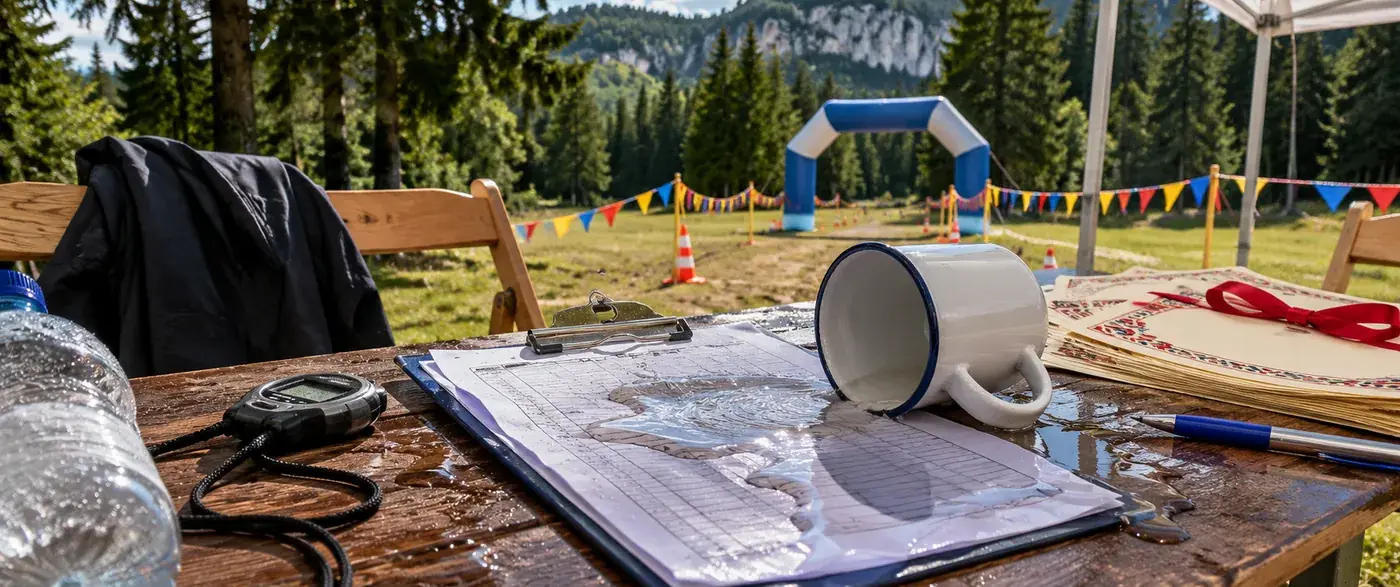
After a popular race, the grandfather who timed the finishes goes to return a watch. His grandson ran too, on the shortest distance. At the finish he looked towards his grandfather and saw him holding the watch close to his glasses, his finger ready above the button. The boy now wants to tell him that he got a certificate even though he wasn't the fastest. When he goes back with it to the officials' table, he finds only a cup of water spilled over the list of times.
When the certificates are handed out, nobody can find him. The family asks the police for help. The grandfather had mended the stopwatch's case with a yellow lace. Three officials remember what they were brought, and the radio has kept the order of the calls.
The lace had once been the grandson's. He remembers how they threaded it together through the case's two holes, with a needle in place of the broken tip. The official who noticed the repair was close enough to the grandfather to tell which way he went afterwards.
You have three calls. Each has a signature, a landmark and a note. Each value appears only once. The times are those of the calls. “Immediately before” means that no other call came in between the two. Who reported the note “Yellow lace”, and from which landmark?
- Name · Alin, Nelu, Rareș
- Landmark · Track Gate, Small Stand, Big Changing Room
- Note · Green snap, Black elastic, Yellow lace
- Time · 16:04, 16:09, 16:14
Search log
Field clues
I need a hint
Start with clue 3. Alin called in at 16:14.
One more hint
Combine clues 2 and 5. Together they give you one more pairing. The 16:04 sheet carries the note “Black elastic”.
Workbook
Deduction grid
The grid is optional. You can use it to organise your notes and see which options you have ruled out. If you already have the answer, go straight to the final report.
Pick the cell where the two values you want to compare meet.
How to play: the basics and a worked example
What do I have to do in a case?
- Read the story and the question in the final report: Who reported the note “Yellow lace”, and from which landmark? That tells you what you have to reconstruct.
- Take the clues one at a time. Look for the two items each sentence links and note in the grid what you have learned. Then tick the clue so you remember you have used it. You can reread it at any time.
- If two clues share an item, follow it through both pairings. When you get stuck, you can open “I need a hint”, then “One more hint”.
- When you have a theory, fill in the two fields of the final report. You can send the report even if you left the grid empty. Then press “Check the report”. If the answer doesn't match, reread the clues and try again. Once it is confirmed, read the explanation in “The log, reconstructed”, shown below the report.
How do I correct a mark?
Tap the same cell to go through the three states, in order. You start from a dot. One tap puts ×, another puts ✓, and a third brings the dot back. So from ✓, a single tap clears the mark. The other cells only change when you tap them yourself.
How do I read the big grid in a case?
Above the columns you will see categories such as “Landmark” and “Note”. The rows are on the left. Follow the name on the row across to the column you are interested in and read the pairing as a question. A dot means you haven't noted the answer yet.
The one-match rule applies within each group of columns. After a ✓ you can put × in the other cells on the row and the column of the same group. In another group, the same row can have one more ✓.
Further down, the rows compare the remaining categories with each other. The hatched areas show pairings already covered elsewhere in the table. On a phone, swipe the table sideways to see the next group.
The example below is a made-up case with two dogs, Luna and Nori, who ended up in different places. The first clue says: “Luna did not finish the trail at the jetty.” Luna gets × under Jetty, so the greenhouse is all that is left for her and she gets ✓ there. The second clue says: “The team that reached the greenhouse used the bandana.”
| Reference | Place | Article | ||
|---|---|---|---|---|
| Jetty | Greenhouse | Bandana | Scarf | |
| Luna | ruled out | confirmed | confirmed | unknown |
| Nori | unknown | unknown | unknown | unknown |
| Jetty | Unused group of cells | unknown | unknown | |
| Greenhouse | confirmed | unknown | ||
On the “Greenhouse” row, the ✓ under “Bandana” comes straight from the clue. On the “Luna” row, the ✓ under “Bandana” is your own conclusion: Luna reached the greenhouse, and the team at the greenhouse used the bandana. The two ticks on Luna's row are in different groups.
Swipe the table to the left to see all the columns.
| Sheet | Landmark | Note | Time | ||||||
|---|---|---|---|---|---|---|---|---|---|
Final report
Who reported the note “Yellow lace”, and from which landmark?
The log, reconstructed
The official who recognises the case directs the team to the changing rooms. There they find the grandfather beside an exhausted runner. He had stayed to keep him company until someone came.
| Name | Landmark | Note | Time |
|---|---|---|---|
| Rareș | Small Stand | Black elastic | 16:04 |
| Nelu | Big Changing Room | Yellow lace | 16:09 |
| Alin | Track Gate | Green snap | 16:14 |
Solve another case
More cases of the same level from the collection.
-
 Case 146
Solved
The bottle on the ledge
A boy and his father visit the house where his great-grandmother lived.
-
 Case 147
Solved
The needle among the needles
A botanist sets out alone to collect a sample from a pine and is missing at the evening roll call.
-
 Case 148
Solved
The lantern without a pane
On the way back from fishing, a teenage girl stays behind to reel in her line.